
01→
Monthly bookkeeping
Transactions categorized, accounts reconciled, and books reviewed on the schedule agreed for your engagement.
- ✓Bank & card reconciliation
- ✓Expense categorization
- ✓Month-end close
Bookkeeping support for reconciliations, cleanup, and plain-English financial reports in QuickBooks Online, QuickBooks Desktop, and Xero.
Illustrative dashboard
Net cash flow
$0
What we do
Choose the bookkeeping functions you need. Deliverables, responsibilities, timing, and pricing are confirmed in the engagement scope.
Platforms we work in
We support cloud collaboration in QuickBooks Online and Xero, plus controlled file and hosted workflows for existing QuickBooks Desktop businesses.
Compare platform workflowsHow it works
Set up authorized platform access and document the accounts, tools, and chart-of-accounts requirements.
Set up authorized platform access and document the accounts, tools, and chart-of-accounts requirements.
Review available records, reconcile the agreed historical period, and document unresolved items for the client.
Apply appropriate rules and integrations while keeping exceptions and unusual activity in a human review workflow.
Deliver the reports and bookkeeping notes included in the engagement after the period review is complete.
Who we serve
Every industry keeps books differently. These pages explain the accounts, reports, and workflow questions we review before confirming an engagement scope.
Why businesses choose us
Most bookkeeping is slow, opaque, and outsourced to a black box. We built the opposite.
Automation supports repeatable work; exceptions and closing balances still receive human review.
The close and reporting timeline is documented for the specific engagement and record condition.
We translate the numbers into decisions, not jargon you have to decode.
Named users, role-based permissions, and client approval for money movement.
Pricing is quoted after reviewing volume, backlog, entities, and the services requested.
We support QuickBooks Online, QuickBooks Desktop, and Xero workflows.
Real client reviews
5.0 average ratingFour genuine five-star reviews. Swipe or use the controls to read the next one.
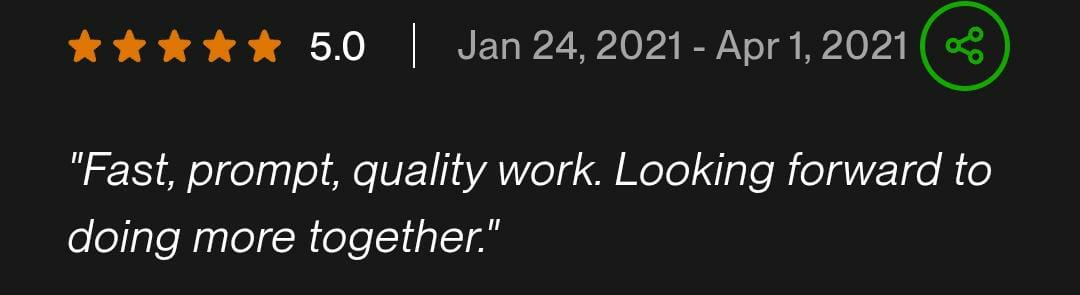
“Fast, prompt, quality work. Looking forward to doing more together.”
 View original ↗
Showing review 1 of 4
Preliminary estimate
Adjust the factors that usually affect bookkeeping effort. You can see the range immediately—no email required.
Questions, answered
Yes. A setup engagement can include the accounting platform, chart of accounts, client-authorized bank and card connections, opening balances from supplied records, bookkeeping workflows, and initial reports. Business formation, bank-account opening, legal advice, and tax elections remain with the client and their licensed professionals.
Send a consultation request so we can review your current platform, backlog, priorities, and the records available.
Prefer email? hello@booksreconciliation.com